AI Coding Experiments
Two multilingual typing apps. Different starting tools. An exploration of AI coding through building.
Why build it twice?
I built KeyLingo and LexiType to explore how different AI models and coding tools approach the same product goal: combining touch typing with vocabulary practice.
Development approach & attribution limits
KeyLingo started with Antigravity and Gemini Flash; LexiType started with Codex Sol. I then added features while experimenting with other models and tools, including OpenCode.
The process was exploratory. I switched between tools without preserving a comparison log, so this case study presents the development approach and resulting applications.
One product goal. Two implementations.
English, Dutch and Arabic. Typing practice and vocabulary learning.
KeyLingo
Started with Antigravity + Gemini Flash
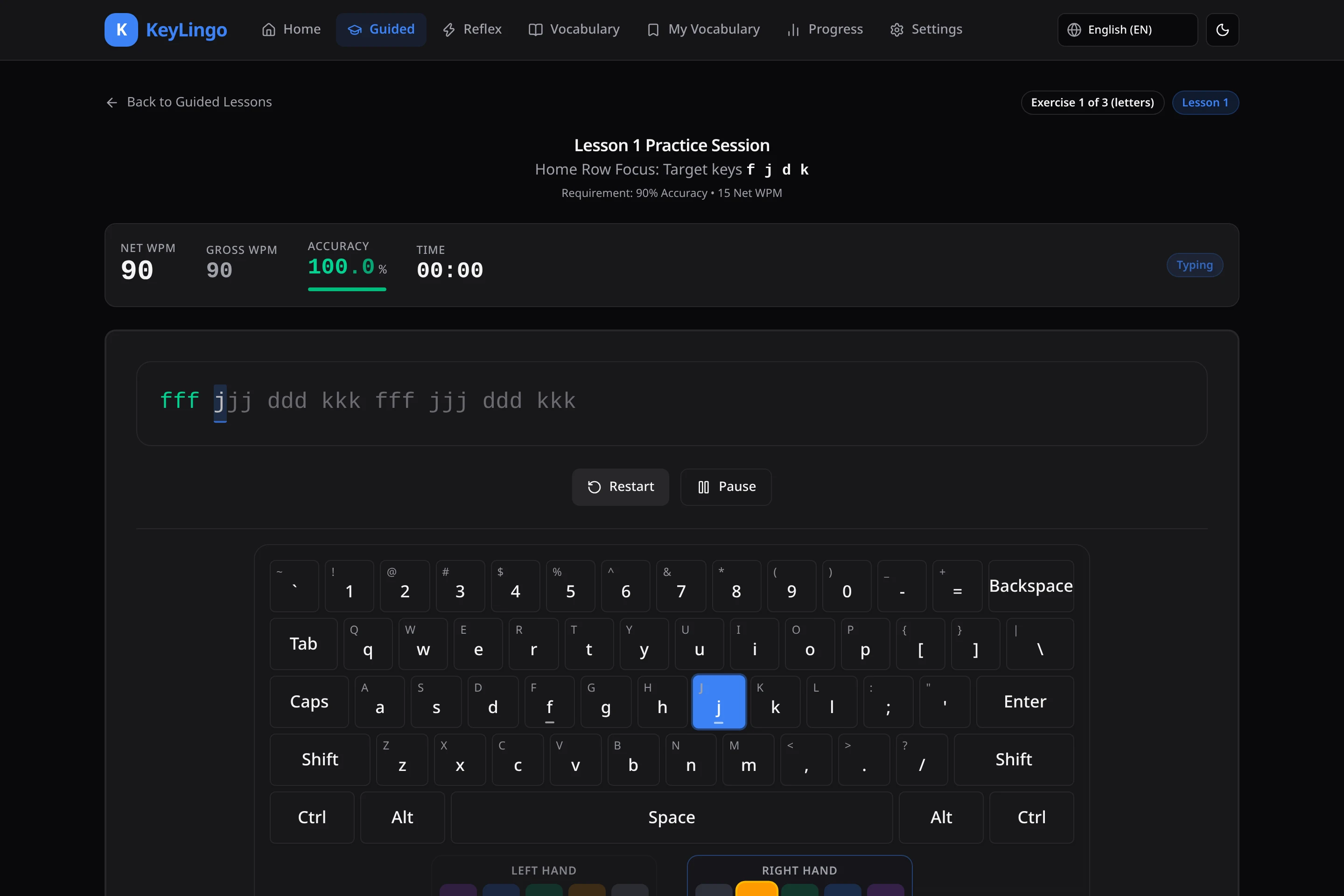
A practice interface organized around a top navigation bar, with a virtual keyboard and finger guidance.
LexiType
Started with Codex Sol
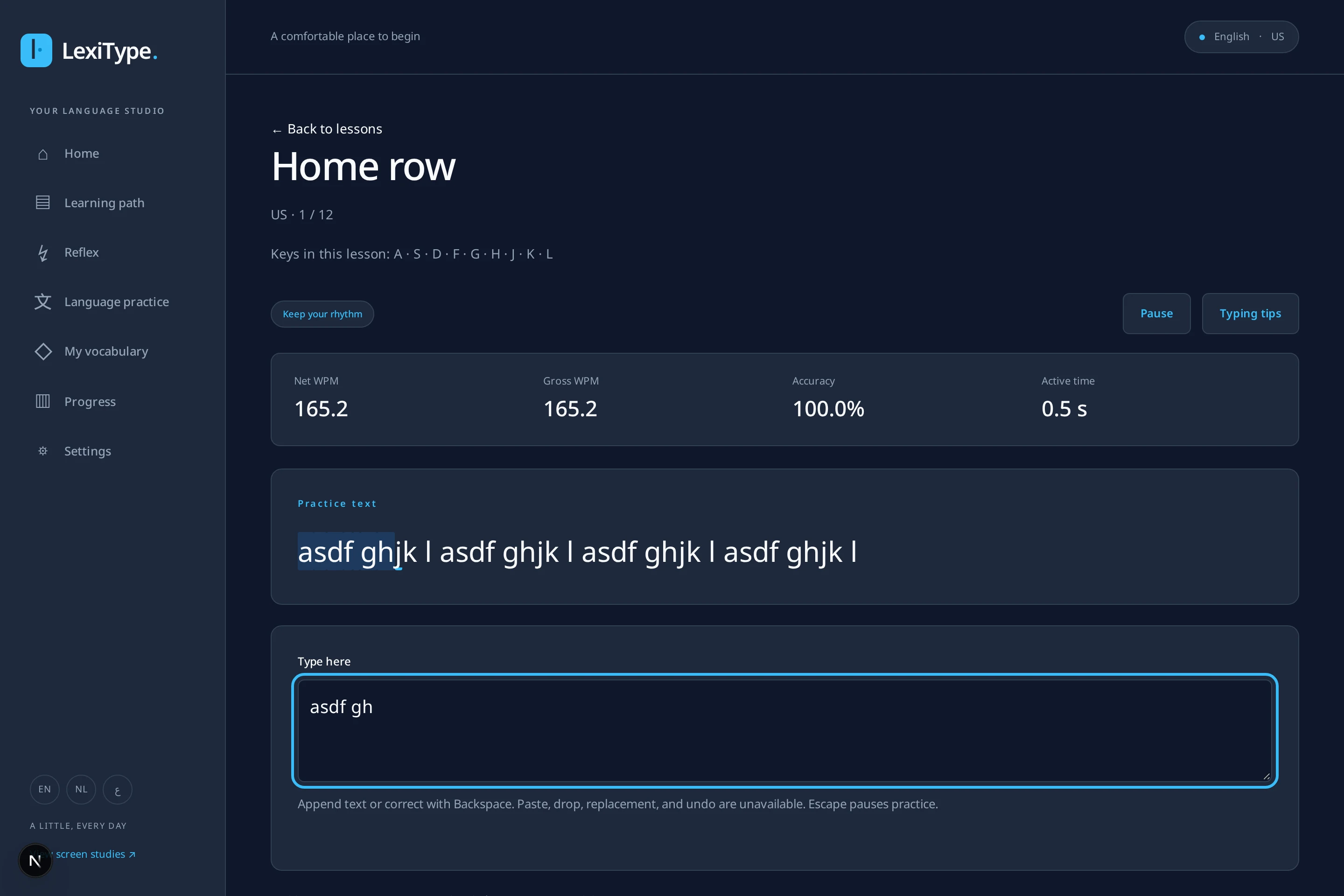
A practice workspace organized around a persistent sidebar, with separate learning, vocabulary and progress views.
The tools changed along the way.
After the initial setups, I moved between models and CLIs while adding features to both applications. The finished apps reflect that mixed development process.
- Model families
- Nemotron · Gemini · DeepSeek · MiMo · Codex
- Coding tools
- Antigravity · OpenCode · Codex
Explore what took shape.
Guided practice
Both applications provide guided typing lessons. These captures show each app’s practice interface; the selected language and session state differ.
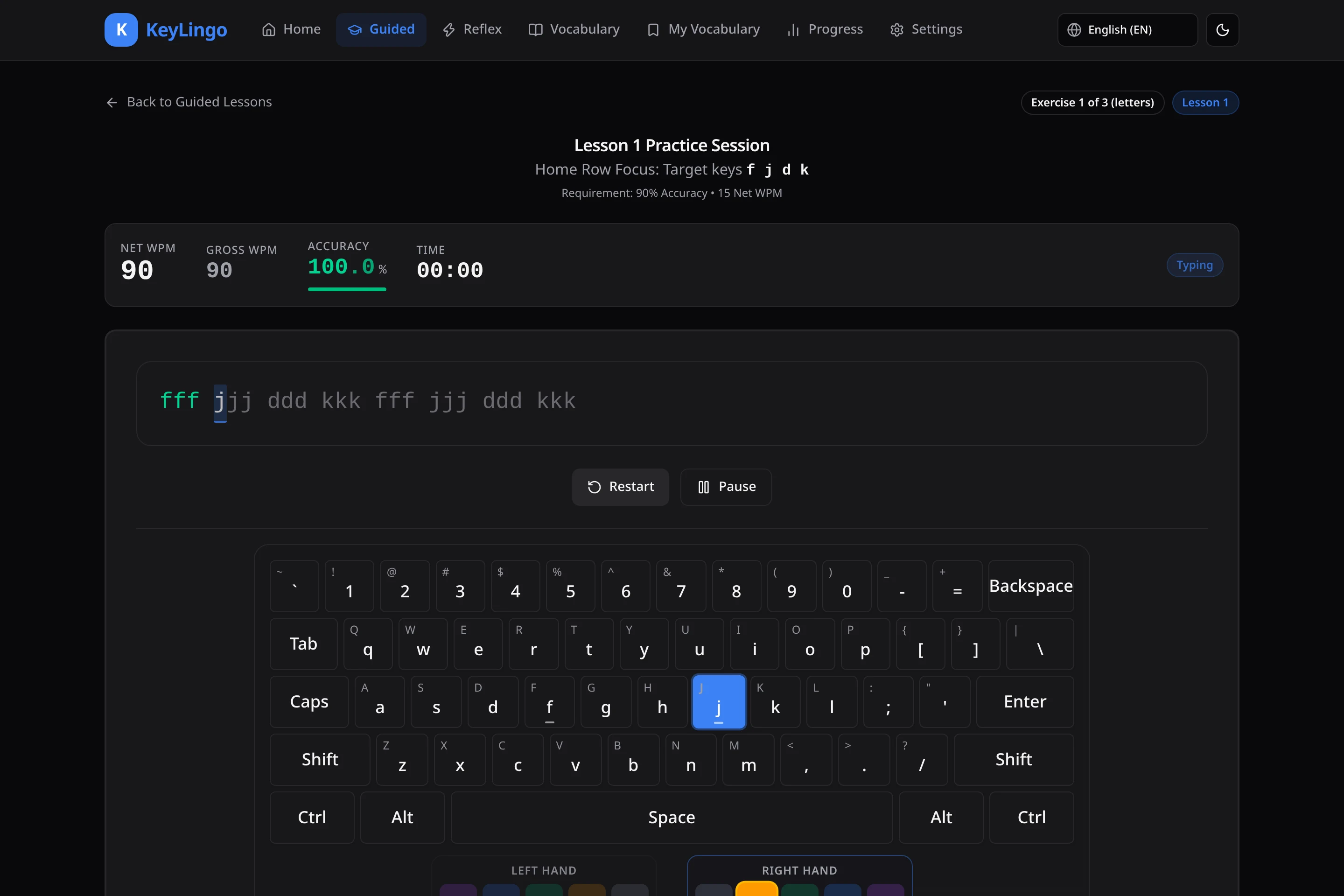
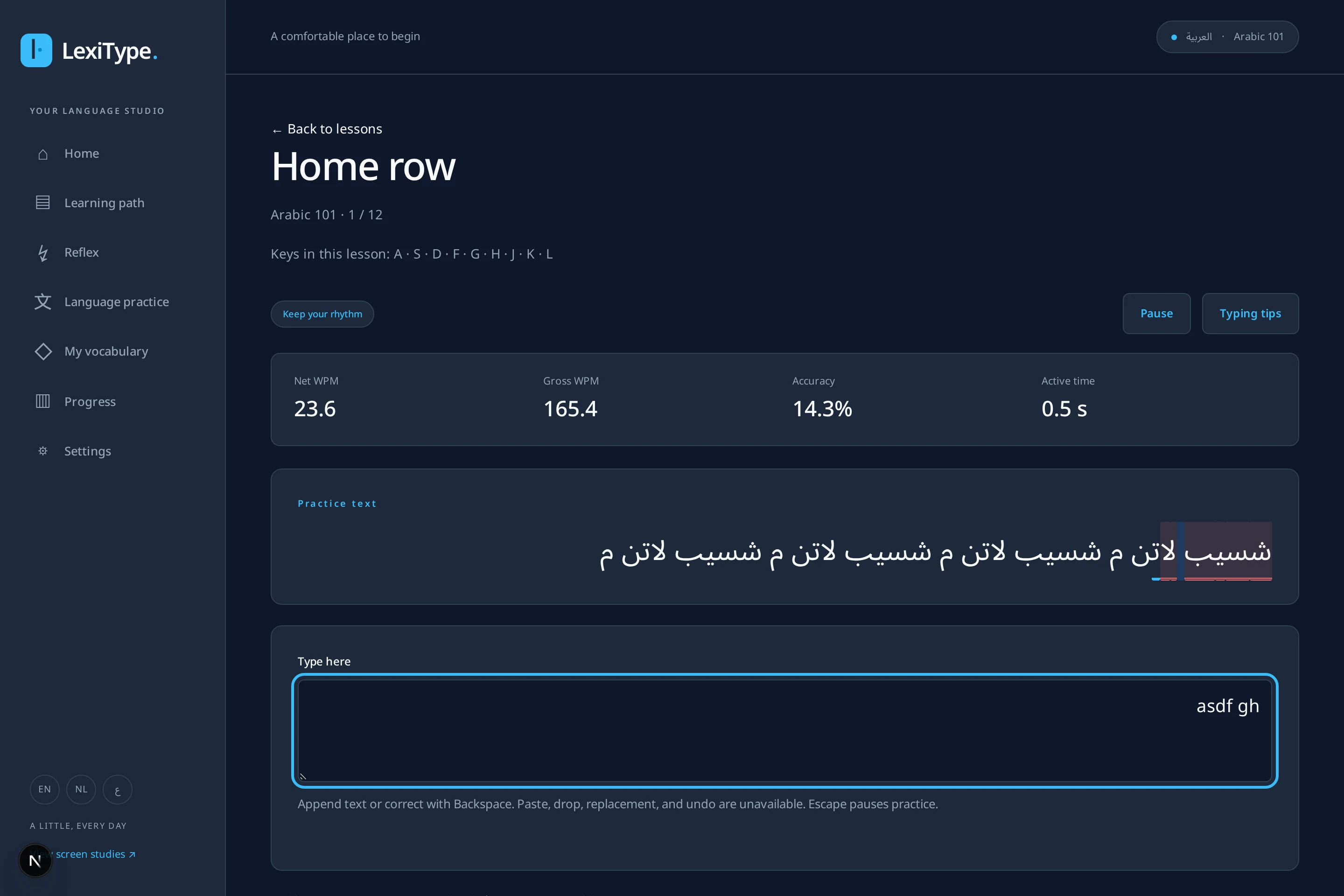
Guided practice: Guided practice. 1 of 4.
Guided practice
Behind the builds.
Explore the engineering decisions and their supporting evidence.
Learning through building
I wanted to explore different AI models and CLIs through a working application. Multilingual typing and vocabulary practice gave the builds a shared product goal, with real input, language and interface challenges to work through.
Building two versions created room to try different starting approaches and continue experimenting as features were added.
Motivation: Learning through building. 1 of 4.
Two builds. One exploration.
The outcome is a pair of multilingual typing and vocabulary applications, developed while moving between AI models and coding tools.
Presented together, KeyLingo and LexiType tell the story behind the similar functionality: repeated building as a way to explore AI coding in practice.
- Next.js
- React
- TypeScript
- Multilingual input